
Write your blog in a real editor.
Publish straight to your static site.
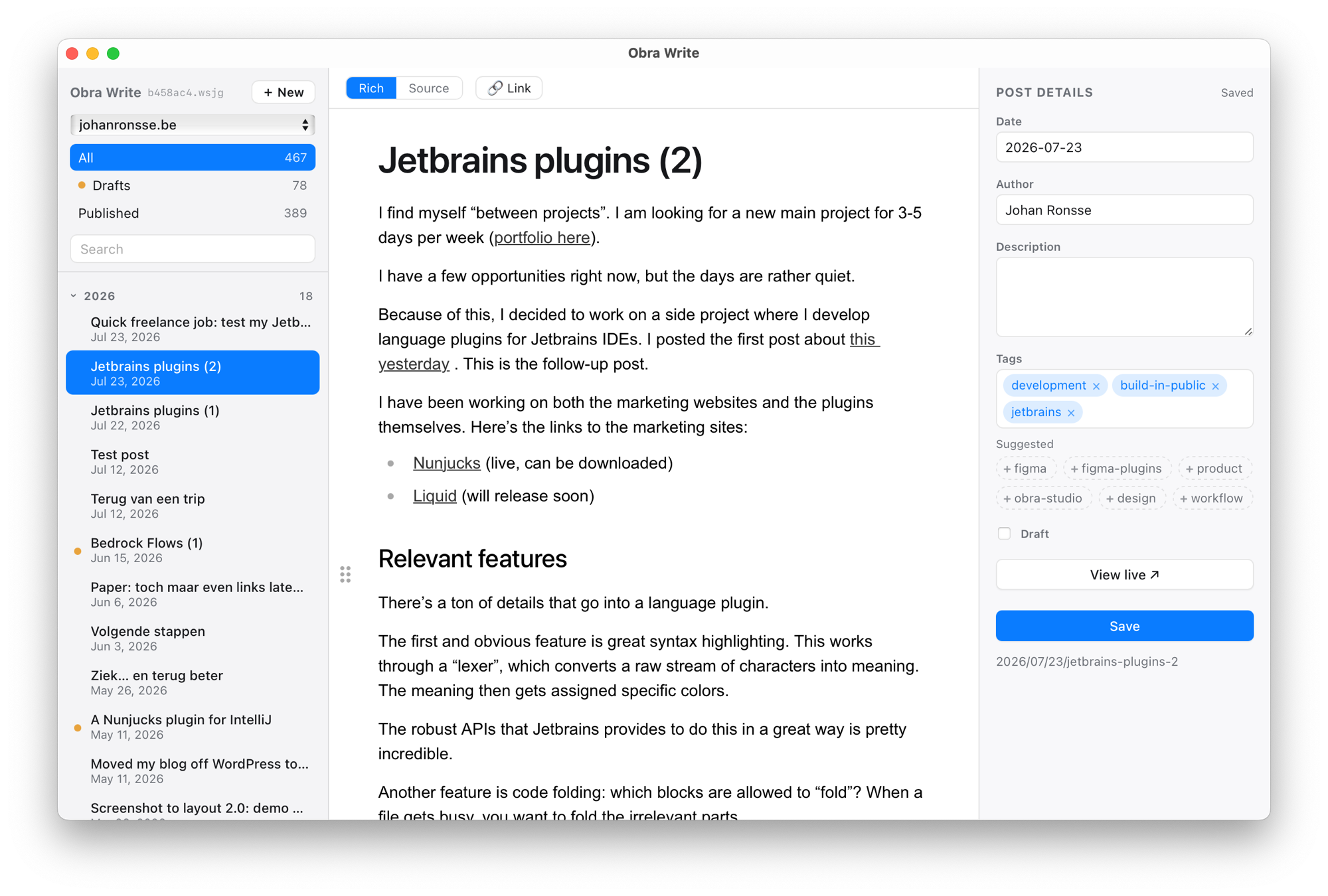
Obra Write is a native Mac app that connects to your static-site blog. Point it at your repo, write in a clean editor, and publish with a single keystroke — it commits your post and ships the build. No CMS, no dashboard, no browser tab.
Connect it to your blog
It talks to the repo you already have
Your static site already builds from Markdown in a Git repository. Obra Write writes to that repository directly — so publishing is a commit and a deploy, not an export.
Point it at your repo
Choose your blog's folder once. Obra Write reads your existing posts and writes new ones
in the same Markdown shape, right where your site expects them.
Write & preview
Draft in a focused editor with a slash menu, tags, and a live preview rendered against your actual site — so what you see is what ships.
Publish in one keystroke
Hit publish and Obra Write commits to main and runs your deploy — the post
is live in about a minute. Optionally cross-post it while you're there.
Your content stays plain Markdown in your repository. Nothing is locked in a database, and you can keep editing by hand any time.
Works with your static site generator
- SvelteKit / mdsvex
- Eleventy
- Astro
- Hugo
- Jekyll
- Next.js
- Gatsby
- Zola
If your blog is Markdown files in a Git repo that builds to a static site, Obra Write can drive it. Publishing targets — the branch, the deploy command, the host — are yours to configure.
What you get
A real editor
A typographic, distraction-free writing surface with rich and Markdown source modes — switch whenever you like, the file underneath stays plain Markdown.
Slash commands
Type / for headings, lists, code blocks, dividers, and more — formatting
without reaching for the mouse.
One-key publish
Commit and deploy in a single action. Obra Write runs your build and ships it to your host; the machinery only surfaces if something goes wrong.
Preview against the live site
See a published post rendered by your real site before and after it goes out — no guessing how your theme will treat it.
Cross-post when you publish
Announce a new post to Bluesky, Mastodon, and X in the same step, each with its own prefilled message.
Tags & drafts
Tag suggestions drawn from your existing posts, a proper draft state, and post metadata that matches your site's format.
Several blogs at once
Keep more than one target configured and switch between them — a personal blog and a product blog live side by side.
Native & fast
A small, quick Mac app — not a browser tab. It works offline and stays out of your way until you press publish.
Want it when it ships?
Obra Write is in private beta. Leave your email and we'll tell you the moment it's ready to connect to your blog.
Get notified at launchQuestions
Is it available now?
Not yet — Obra Write is in private beta. It's a working tool we use daily, but a few things are still hardcoded for a single setup. Leave your email above and we'll let you know when it opens up.
How does it connect to my blog?
You point it at your blog's local Git repository. Obra Write reads your existing posts to learn their shape, then writes new ones as Markdown in the same place. Publishing commits to your branch and runs your deploy command.
Do I have to change how my site is built?
No. Your posts stay plain Markdown in your repo, and your build stays exactly as it is. Obra Write is an editor and a publish button on top of the setup you already have.
Which site generators are supported?
Anything that builds a static site from Markdown in a Git repository — SvelteKit, Eleventy, Astro, Hugo, Jekyll, and the rest. If yours isn't listed, email us and we'll tell you where it stands.
Where does my content live?
In your repository, as Markdown, on your machine and your host. There's no Obra database in the middle — you can keep editing files by hand at any time.
Will there be a Windows or web version?
Obra Write is a native macOS app to start with. Email hello@obra.studio if you'd want it elsewhere — it helps us prioritise.